
Forgot Password
Symptoms:
- Can’t remember your password
- Login page shows "Incorrect password"
Solution:
- Go to https://app.hubspot.com/login
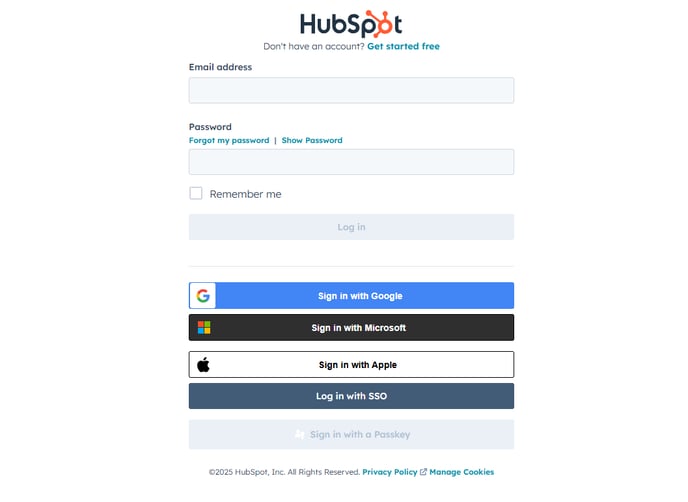
- Click "Forgot my password?"
- Enter your email address and follow the instructions in your email to reset your password
Tip: Check your spam or junk folder if the reset email doesn't arrive.
You're Logged In but Can't Access the Right HubSpot Account
Symptoms:
- You see the wrong HubSpot account
- Message: “You don’t have access to this account”
Solution:
- Click your profile photo in the top right
- Select "Switch accounts"
- Choose the correct account from the dropdown list
If the right account is not listed:
- Ask your account admin to add your email address to the correct HubSpot account
Didn’t Receive Verification Code or Login Email
Symptoms:
- Two-factor authentication code not arriving
- Email verification not received
Browser or Device Problems
Symptoms:
- Page won’t load
- Login button doesn’t respond
Solution:
- Try a different browser (Chrome or Firefox recommended)
- Use Incognito/Private Mode
- Clear your browser cache and cookies
- Disable any browser extensions (especially ad blockers)
- You’ve Been Removed from an Account or Lost Permissions
Symptoms:
- You’re logged in but can’t see tools or data
- You receive access denied errors
Solution:
- Ask your HubSpot account admin to:
- Check your user role and permissions in Settings > Users & Teams
- Re-add your user if removed
Deactivated or Expired Account
Symptoms:
- You can’t log in at all
- You were the only admin and lost access
Solution:
- Reach out to HubSpot Support for help
- If you're a free user, use the Help Center
- Paid users can access live chat or phone support from their portal